
Uploady Premium can be added directly to JDownloader 2. The screenshots below show the current account flow I used: open Account Manager, choose uploady.io, enter the account login, and confirm that JDownloader reports the account as Premium.
Why Use JDownloader 2 with Uploady?
The main advantage is workflow. Instead of opening each file manually in a browser, you can queue multiple Uploady links, resume interrupted Premium downloads, and let JDownloader handle a batch unattended. In my own Premium test, four active files reached 42.14 MiB/s combined.
Step-by-Step Uploady Account Setup
Step 1: Open Account Manager
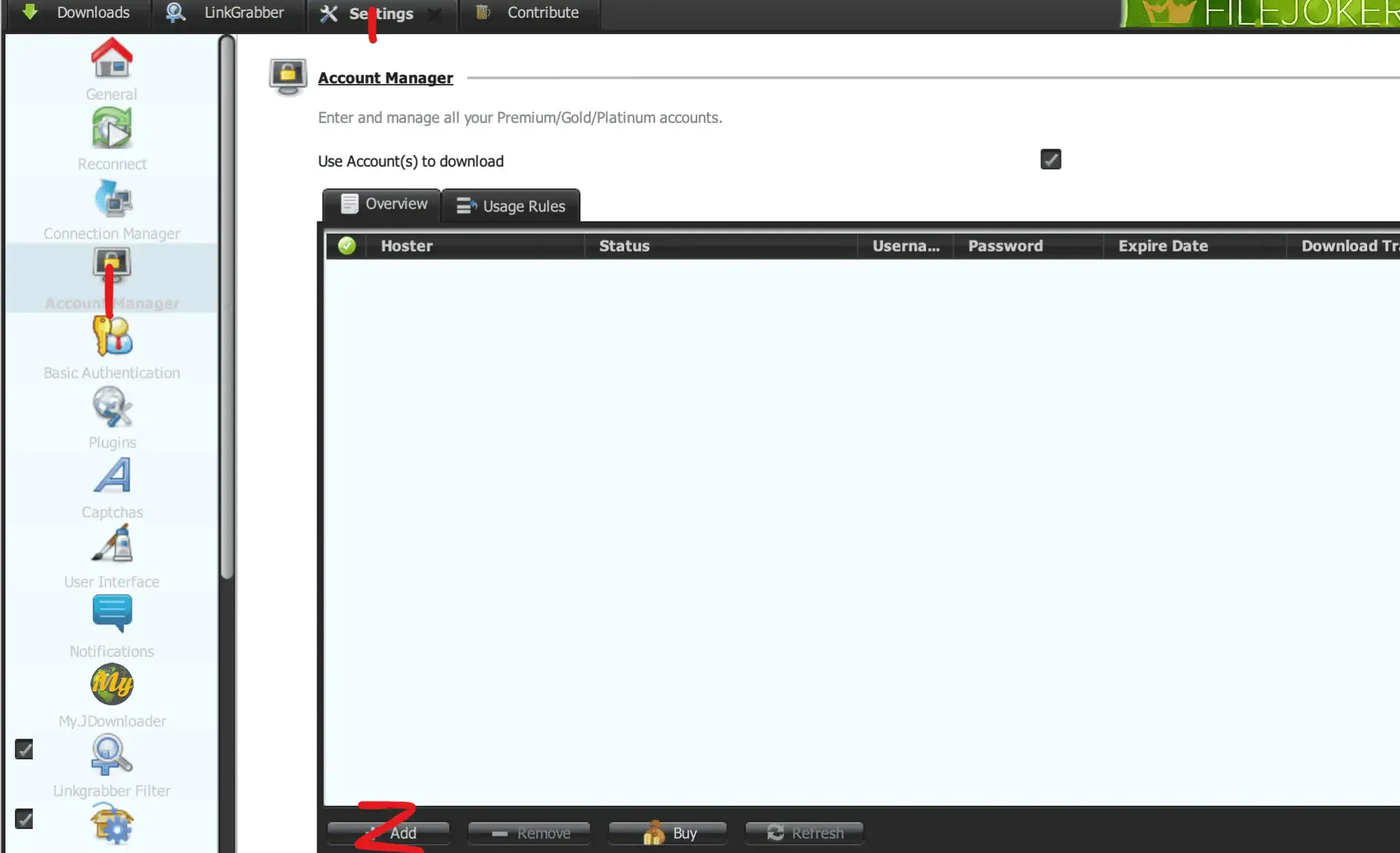
Open JDownloader 2, select Settings, choose Account Manager in the left sidebar, then click Add.
Step 2: Select Uploady.io and Enter Your Login
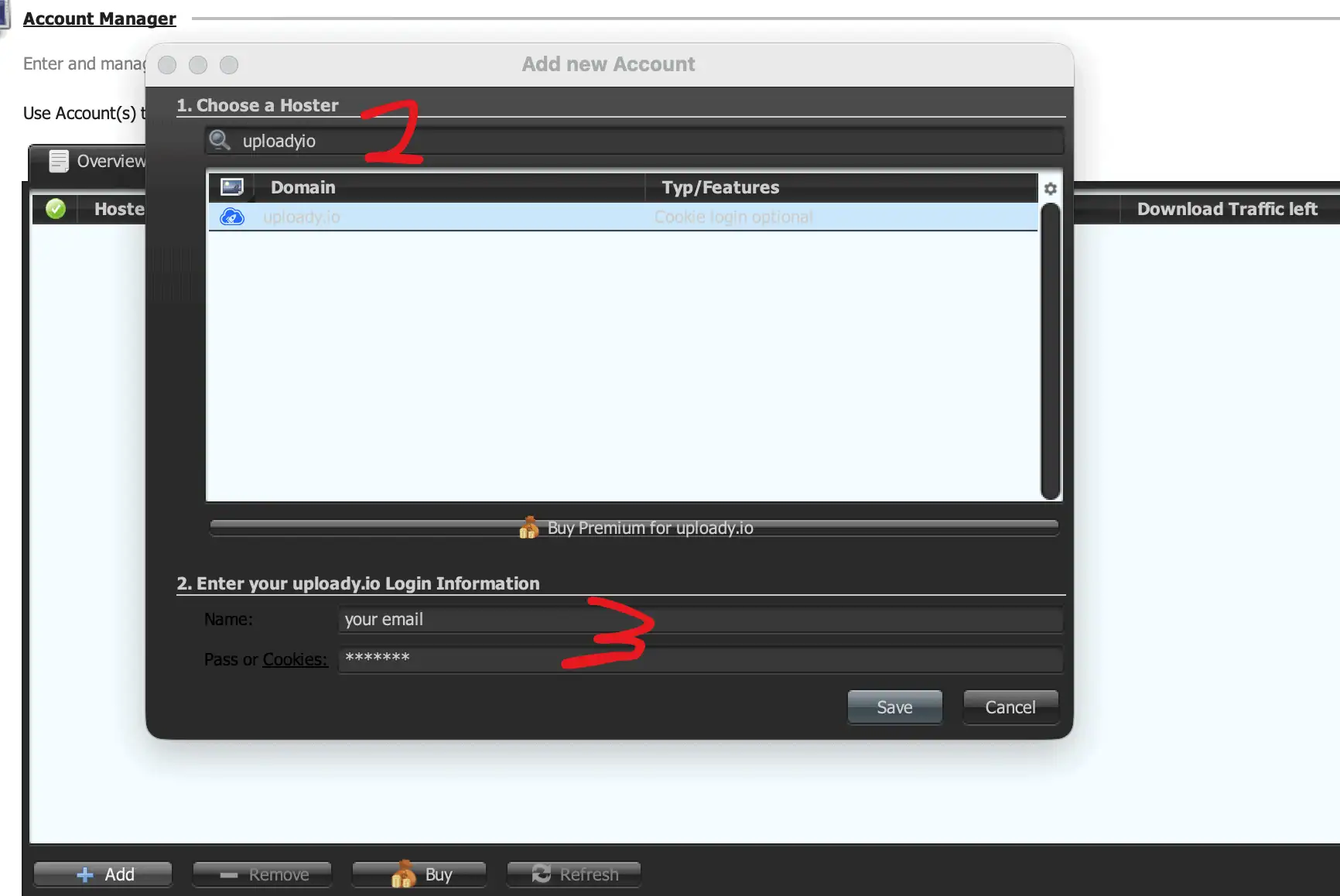
Search for uploadyio, select uploady.io, enter the email address used for your Uploady account, then enter your password and click Save.
Don’t have Premium yet? Upgrade your Uploady account through the official checkout →
Cookie login is optional. The JDownloader dialog itself shows “Cookie login optional” and the field is labeled “Pass or Cookies.” JDownloader also documents cookie login as an alternative for supported plugins when normal username/password login has problems. Use JDownloader’s official cookie-login procedure rather than sharing browser cookies with unrelated websites.
Step 3: Confirm Premium Status
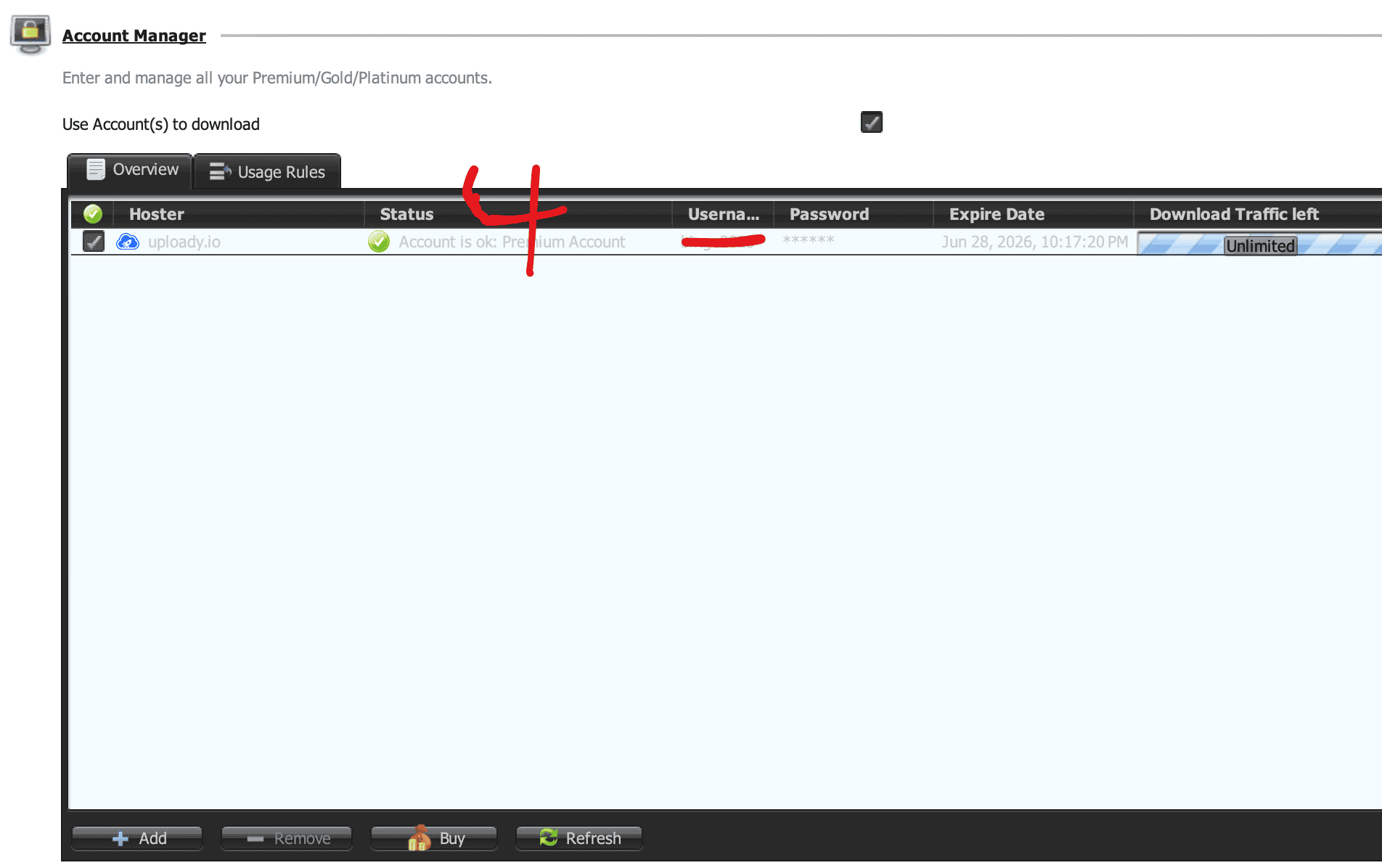
After saving the account, look for a green status indicator and the message “Account is ok: Premium Account”. The screenshot below shows the account recognized correctly.
Real JDownloader Speed Test: 42.14 MiB/s Combined
I then queued four Uploady files at the same time on a 1 Gbps fiber connection. The four tasks showed 7.54, 11.77, 12.52 and 10.31 MiB/s, for a combined 42.14 MiB/s.
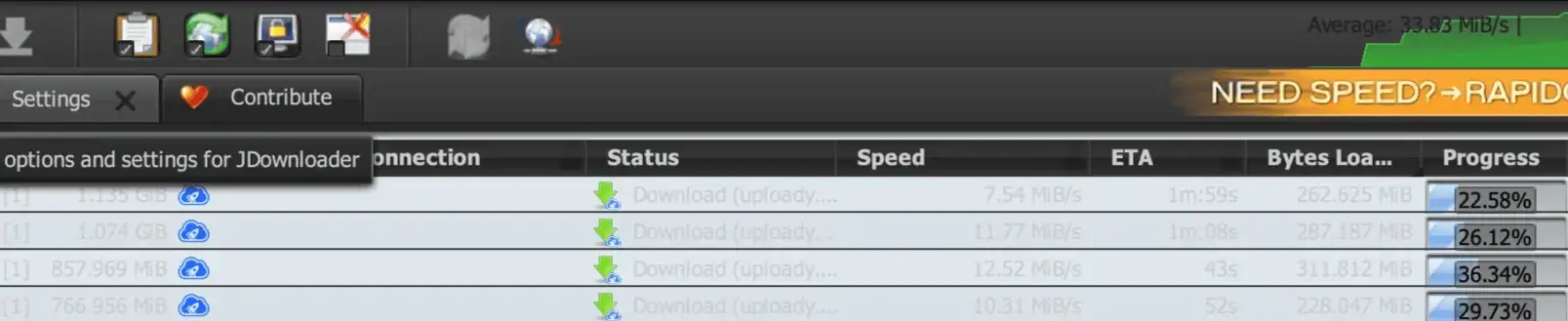
This is a measurement from my connection, not a guaranteed Uploady speed. ISP routing, server load and the specific file server can change the result.
Settings: Start Conservative
I would not recommend copying an aggressive chunk count just because JDownloader exposes the option. My measured result above came from four active files; it does not prove that 8, 16 or 20 chunks per file are better. Start with JDownloader’s normal settings, confirm stability, and only increase concurrency when you have a reason to.
Common Uploady JDownloader Problems
Uploady is detected as a Free account
First sign in on Uploady.io and confirm that Premium is active. Then return to Account Manager and refresh the account. If it still shows Free, remove and re-add the account before changing unrelated network settings.
Login failed or the Uploady plugin stops working
Update JDownloader 2 first. If normal email/password login still fails and the account dialog shows cookie login support, JDownloader’s official cookie-login method is the next reasonable fallback.
Downloads stop after a large amount of traffic
Check your Uploady daily allowance. Current paid plans range from 50 GB to 300 GB per day and reset every 24 hours. See the Uploady download limit guide.
JDownloader is slower than my previous test
Test another Uploady file and compare the browser with JDownloader. A single slow result can be caused by routing, server load or the specific file server. See the full Uploady speed test review for the browser and JD2 measurements.