
I purchased an Uploady Premium account to measure actual download throughput, parallel-download behavior and the practical limits of the paid service against the free tier.
Full disclosure: the Premium account used for these tests was purchased with my own money.
Test Environment
| Internet Connection | 1 Gbps home fiber broadband |
| Browser | Google Chrome; free-tier test used Incognito mode |
| Download Manager | JDownloader 2 |
| Free Test File | 767 MB archive |
| Premium Single File | 1.1 GB archive |
| Parallel Browser Test | 2 simultaneous downloads |
| JDownloader Test | 4 simultaneous downloads |
The Free Experience: Slow and Restricted
Uploady’s current download page lists free downloads at up to 100 KB/s. In my own test, a 767 MB file ran at about 461 KB/s. That was faster than the published free limit, but the file still needed roughly half an hour, and free downloads included a waiting step plus CAPTCHA.

Premium Account Speed Tests
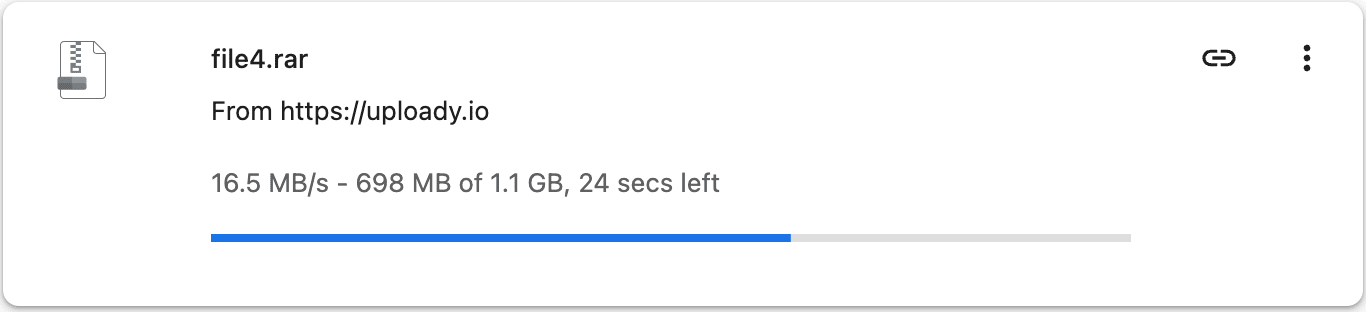
Browser: Single File — 16.5 MB/s
A 1.1 GB Premium download ran at a steady 16.5 MB/s in Chrome with no extra download plugin.
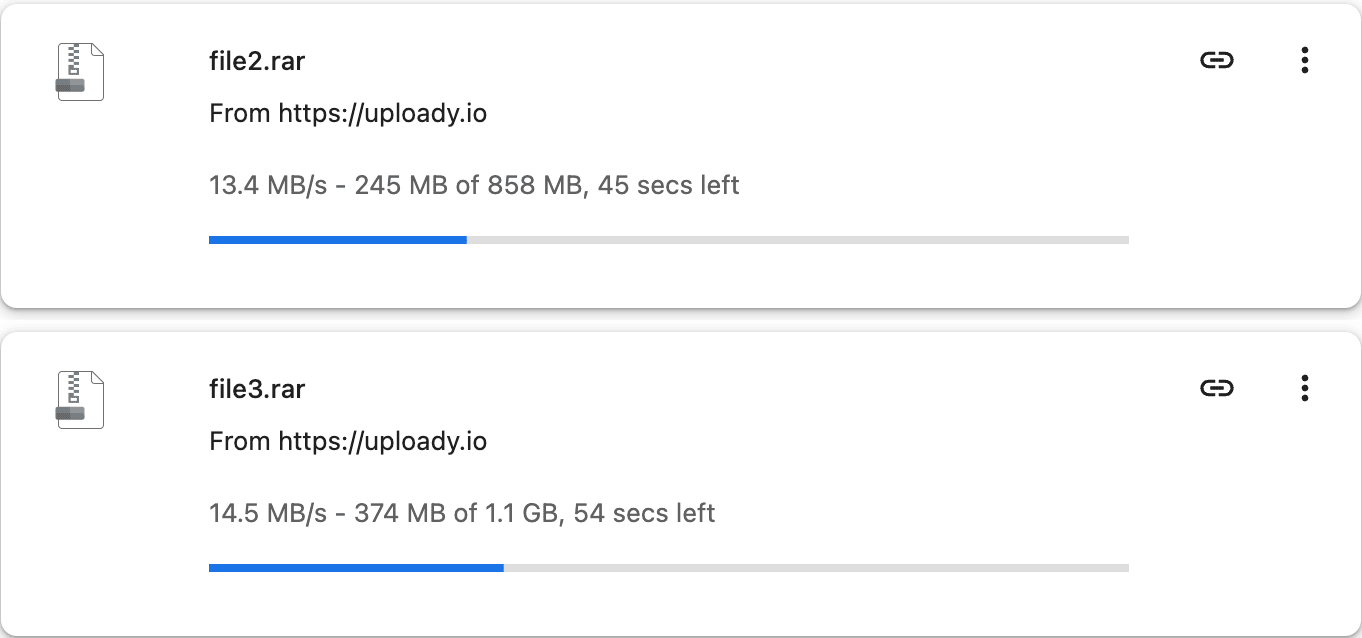
Browser: Two Files in Parallel — ~28 MB/s Combined
With two downloads running together, the files reached 13.4 MB/s and 14.5 MB/s, or roughly 28 MB/s combined.
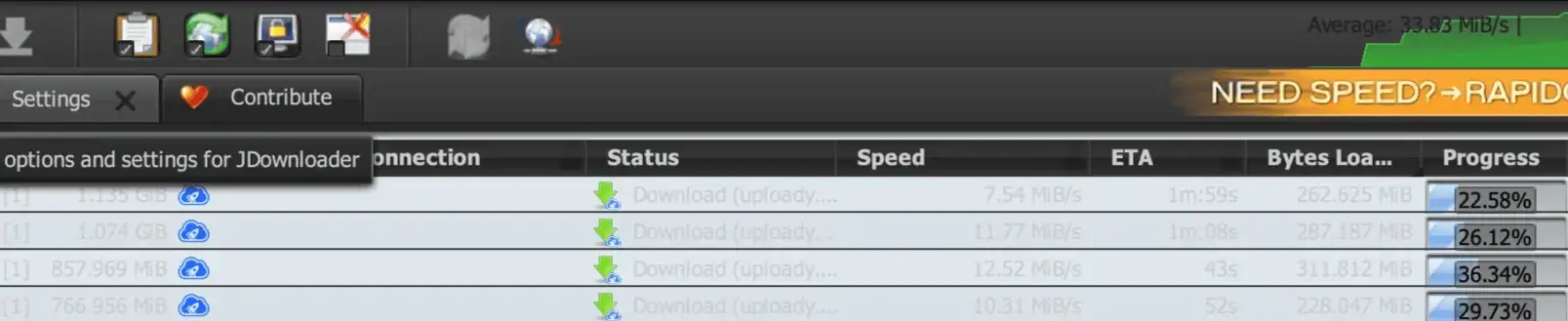
JDownloader 2 — 42.14 MiB/s Combined
JDownloader produced the highest combined result in my current test. Four downloads were active at 7.54, 11.77, 12.52 and 10.31 MiB/s, for a total of 42.14 MiB/s.
For host-to-host context, see the dedicated comparisons: Uploady vs Keep2Share and Uploady vs Katfile.
What I Don’t Like About Uploady
- Daily bandwidth caps still apply: Premium is not unlimited. Current plans provide 50–300 GB/day depending on tier and duration.
- The exact reset clock is not clearly explained: the terms say the allowance resets every 24 hours, but they do not specify a universal midnight timezone in the wording I checked.
- Your speed can differ from mine: my figures are measurements from one home-fiber connection. ISP routing, server load and the particular file server can change the result.
Performance Summary
| Free Download | ~461 KB/s in my test |
| Browser Single File | 16.5 MB/s |
| Browser Parallel | ~28 MB/s combined across 2 files |
| JDownloader 2 | 42.14 MiB/s combined across 4 downloads |
| Daily Premium Traffic | 50–300 GB/day depending on plan |
| Best Suited For | Large files, multi-part archives and JD2 queues |
| Main Limitation | Daily download allowance |
Final Verdict
For occasional small files, the free tier is usable if you accept the waiting and slower transfer. For regular multi-gigabyte downloads, Premium is a very different experience. In my testing, browser speed reached 16.5 MB/s and JDownloader reached 42.14 MiB/s combined across four simultaneous downloads.
The main thing to watch is not speed but daily traffic: choose the plan around the amount you actually download in a 24-hour period.